
🎧 Listen to this article: हिंदी · English · தமிழ் · తెలుగు · ಕನ್ನಡ · മലയാളം · ଓଡ଼ିଆ · 日本語 · 中文
🌍 Read this in your language: हिंदी · தமிழ் · తెలుగు · ಕನ್ನಡ · മലയാളം · ଓଡ଼ିଆ · 日本語 · 中文
Building a reliable office network is no small feat, especially when you have just three weeks to get it done. This article will walk you through the process a financial firm followed to set up a network for over 200 users, ensuring everything was ready for opening day.
The Challenge
The firm was moving into a full floor with no existing cabling. They needed a complete network setup, including wired ports, Wi-Fi access, phone systems, and conference room connectivity, all operational by the time employees arrived. With such a tight timeline, careful planning and execution were crucial.
Network Design
To meet their needs, the team implemented the following components:
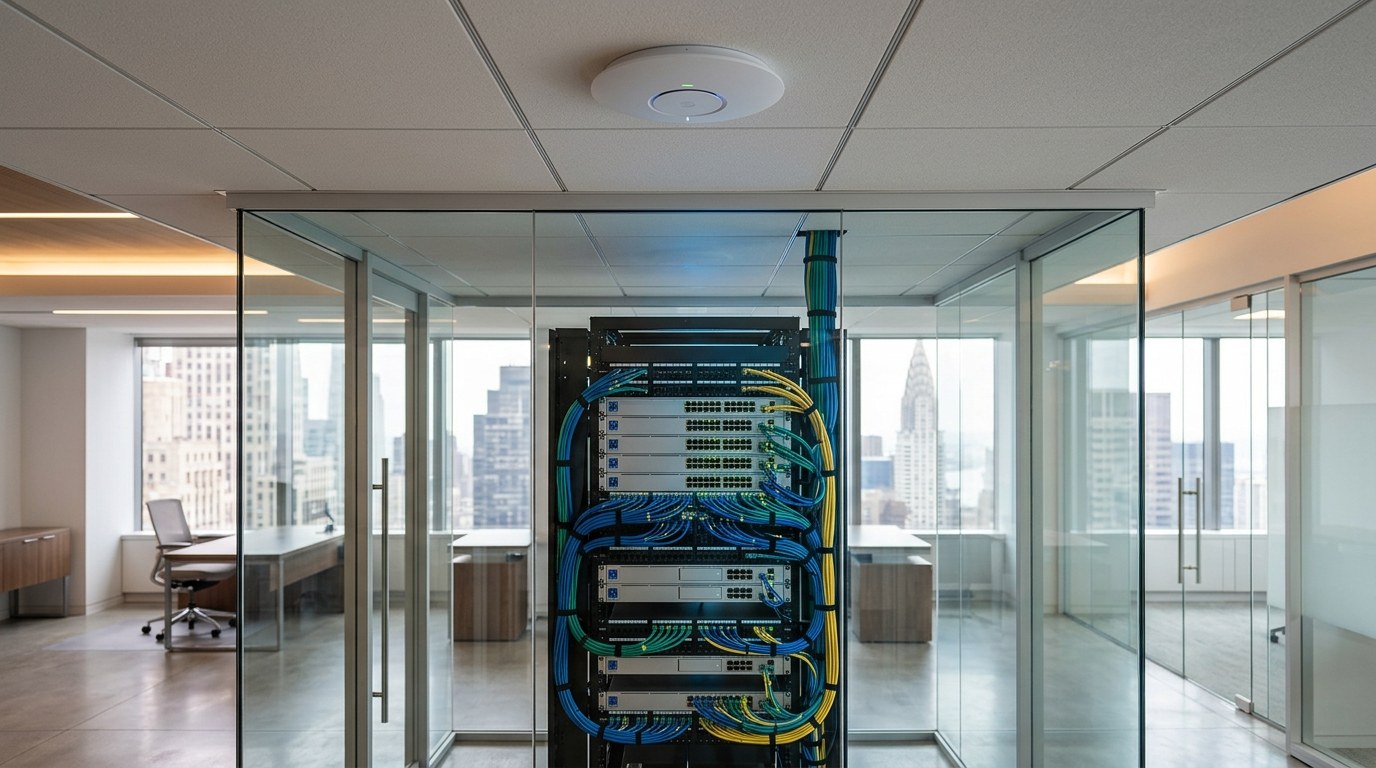
- Switching Infrastructure: They used four Cisco Catalyst 9300 UPOE switches. These switches were stacked together to function as a single unit, simplifying management and reducing potential failure points.
- Access Points: Ten Cisco CW9166I tri-band Wi-Fi 6E access points were installed to ensure strong wireless coverage throughout the office.
- Firewalls: Two Meraki MX95 firewalls were set up in a warm-spare configuration. This means one firewall handles traffic while the other stands by to take over if the first fails.
- Internet Connectivity: They installed two separate 1 Gbit internet circuits from different carriers to maintain connectivity in case one service goes down.
Power Considerations
One important aspect of the network was power management. The Catalyst 9300 UPOE switches can deliver up to 60 W per port using Power over Ethernet (PoE). Each CW9166I access point requires a maximum of 30.5 W, allowing for enough power headroom to operate effectively.
Management and Monitoring
All network devices were managed through the Meraki dashboard. This centralized platform allowed the team to monitor the network in real-time, making it easier to troubleshoot and manage configurations.
Timeline Breakdown
The project unfolded over three weeks:
Week 1: Surveying the Office
The team surveyed the office to determine the best locations for the access points. This step was crucial to avoid issues like dead zones in the office, especially in conference rooms.
Week 2: Installing Core Infrastructure
They mounted and configured the Catalyst 9300 UPOE switches, integrated the Meraki MX95 firewalls, and connected the internet circuits.
Week 3: Final Touches and Testing
Finally, the team installed and configured the CW9166I access points. They conducted thorough testing to ensure everything was functioning correctly before the opening day.
Challenges Faced
One major challenge was the delayed delivery of the internet circuits from the carriers. To keep on schedule, the team set up an LTE connection as a temporary solution. This allowed the office to operate smoothly until the dedicated circuits were activated.
Lessons Learned
From this experience, a few key takeaways emerged:
- Order internet circuits early: They have the longest lead time and are often outside your control.
- Have a fallback ready: Always prepare a backup solution, like a cellular connection, in case of delays.
- Check your PoE budget: Ensure that your power supply can handle the worst-case scenario for all devices.
- Survey before mounting access points: Proper placement is essential for optimal coverage.
- One team owns the entire path: Having one team responsible for everything from the wall jack to the firewall simplifies troubleshooting.
Conclusion
Setting up a robust office network in a short time is challenging but achievable with careful planning and execution. By focusing on redundancy and centralized management, the team ensured that the network was ready for over 200 users on opening day.
Merits
- Quick deployment within three weeks.
- Centralized management simplifies troubleshooting.
- Redundant systems enhance reliability.
Demerits
- Tight timeline may lead to oversight.
- Reliance on external carriers for internet service.
Caution
This article is meant for educational purposes. If you decide to implement a similar network setup, ensure you replace any placeholder values with your actual data and verify all claims against the original source before relying on them.
Frequently asked questions
- What is Power over Ethernet (PoE)? — PoE allows network cables to deliver power to devices like access points, reducing the need for separate power sources.
- Why is redundancy important in network design? — Redundancy ensures that if one component fails, another can take over, maintaining network availability.
- How do you choose the right access points? — Consider factors like coverage area, number of users, and the types of devices that will connect.
- What is a warm-spare configuration? — This setup involves having a backup device ready to take over automatically if the primary device fails.
- How can I monitor my network? — Centralized management platforms like the Meraki dashboard allow for real-time monitoring and management of network devices.
- What should I do if my internet circuits are delayed? — Have a backup connection, such as LTE, ready to ensure continued operation until the primary service is available.
Tags
#networking #infrastructure #wifi #sysadmin #office #technology #networkdesign #ITmanagement
Docker Security Checklist
Lock down your containers from build to runtime — 29 practical controls covering images, runtime flags, secrets, and the daemon. Enter your email — you'll get the PDF instantly, plus new posts on Docker, Linux & security.
Free. No spam — unsubscribe in one click.
Responses
Sign in to leave a response.