
🎧 Listen to this article: हिंदी · English · தமிழ் · తెలుగు · ಕನ್ನಡ · മലയാളം · ଓଡ଼ିଆ · 日本語 · 中文
🌍 Read this in your language: हिंदी · தமிழ் · తెలుగు · ಕನ್ನಡ · മലയാളം · ଓଡ଼ିଆ · 日本語 · 中文
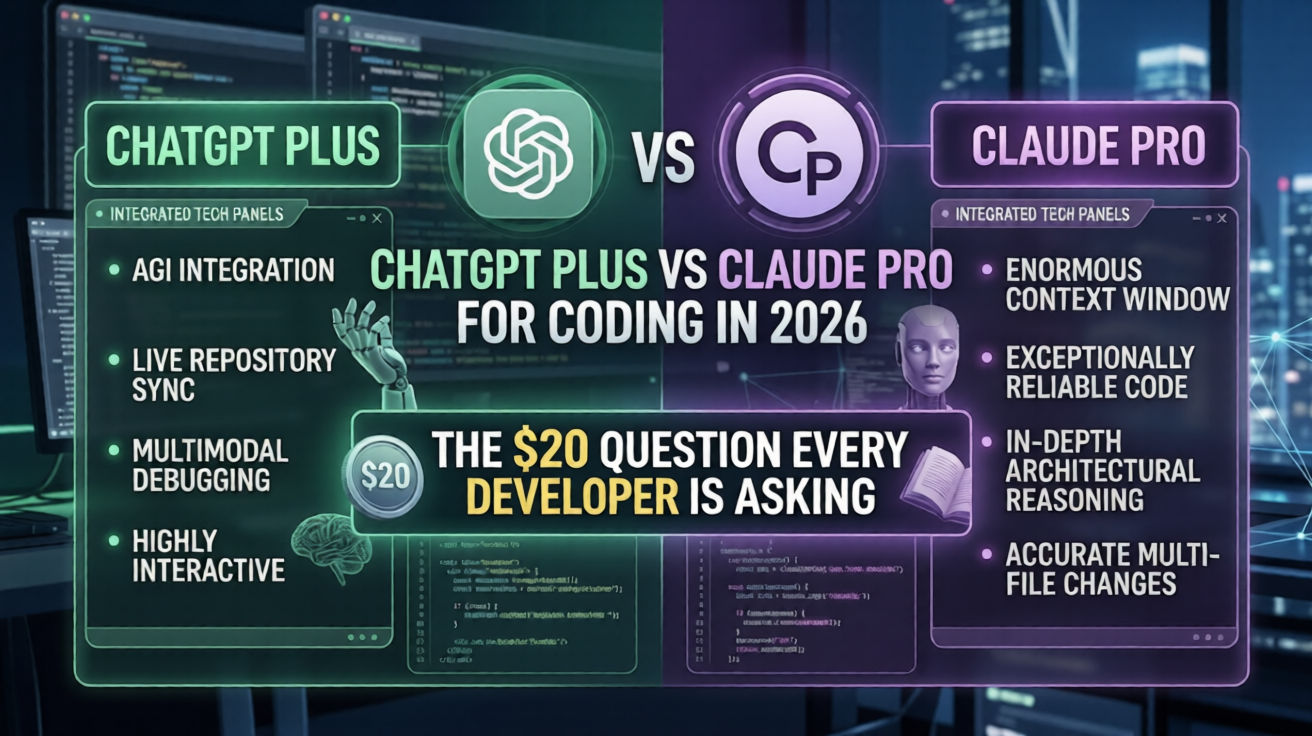
n the rapidly evolving landscape of software development, choosing the right AI coding assistant can significantly impact your productivity and efficiency. As a developer in 2026, you may find yourself debating whether to invest your $20 in ChatGPT Plus or Claude Pro. Both tools promise to enhance your coding capabilities, but they operate on fundamentally different philosophies and strengths. Understanding these differences is crucial for making an informed decision that aligns with your workflow.
What Is ChatGPT Plus and Claude Pro?
ChatGPT Plus and Claude Pro are subscription-based AI coding assistants designed to assist developers in writing and debugging code. While both services cost the same, they offer different features and functionalities. ChatGPT Plus is known for its versatility, providing a wide range of tools, including image and video generation, while Claude Pro is recognized for its precision and focus on coding tasks. This article will explore how each tool can benefit developers and help you decide which one is right for you.
How It Works
Both ChatGPT Plus and Claude Pro utilize advanced machine learning models to understand and generate code. Think of ChatGPT as a Swiss Army knife—it has multiple tools for various tasks, making it adaptable but potentially less specialized. In contrast, Claude Pro functions like a precision instrument, designed to excel in specific coding tasks. This distinction is essential when considering which tool will best suit your development needs.
Prerequisites
Before diving into the installation and setup of either tool, ensure you have the following:
- A stable internet connection
- A valid payment method for subscription
- Access to a compatible device (PC, Mac, or tablet)
- Basic knowledge of coding concepts
Installation & Setup
ChatGPT Plus
To subscribe to ChatGPT Plus, follow these steps:
# Visit the OpenAI website
open https://www.openai.com/chatgpt

# Click on the "Upgrade to Plus" button
Claude Pro
To subscribe to Claude Pro, follow these steps:
# Visit the Anthropic website
open https://www.anthropic.com/claude

# Click on the "Subscribe to Claude Pro" button
Step-by-Step Guide
- Choose Your Tool: Decide whether to go with ChatGPT Plus or Claude Pro based on your needs.
- Create an Account: Sign up for either service if you don't already have an account.
- Select Subscription Plan: Choose the Plus or Pro plan and enter your payment details.
- Access the Platform: Log in to your account to access the coding assistant.
- Familiarize Yourself: Explore the interface and available features to understand how to utilize the tool effectively.
Real-World Examples
Example 1: Debugging Code with Claude Pro
Imagine you have a Python script that isn't functioning as expected. You can use Claude Pro to identify and fix errors quickly:
# Sample Python code
def add_numbers(a, b):
    return a + b

# Debugging prompt
# "Claude, why is this function not returning the expected result?"
Example 2: Generating Code Snippets with ChatGPT Plus
If you need a quick code snippet for a web application, ChatGPT Plus can generate it for you:
// Requesting a JavaScript function
// "ChatGPT, can you provide a function to fetch user data from an API?"
Best Practices
- Define Your Needs: Clearly outline what you expect from an AI coding assistant.
- Utilize Each Tool's Strengths: Use Claude Pro for precision tasks and ChatGPT Plus for broader queries.
- Stay Updated: Regularly check for updates and new features from both platforms.
- Experiment with Prompts: Tailor your prompts to get the best results from each tool.
- Integrate with Your Workflow: Find ways to incorporate the tools into your existing development processes.
Common Issues & Fixes
| Issue | Cause | Fix |
|---|---|---|
| Slow response times | High server load | Try again during off-peak hours |
| Inaccurate code suggestions | Ambiguous prompts | Rephrase your question for clarity |
| Subscription issues | Payment processing error | Check your payment method and retry |
Key Takeaways
- ChatGPT Plus offers a wide array of features, making it versatile for various tasks.
- Claude Pro excels in coding precision, making it ideal for focused programming tasks.
- Benchmarks indicate that Claude Pro currently leads in coding accuracy.
- Understanding the strengths of each tool can save you time and improve your coding efficiency.
- Regularly updating your knowledge of both platforms will help you leverage their capabilities effectively.
By carefully considering your specific needs and the strengths of each AI coding assistant, you can make an informed decision that enhances your development workflow in 2026.
API Security Testing Checklist
A practical workflow for testing authentication, authorization, input handling, business logic, and evidence without losing track of scope.
Free. No spam — unsubscribe in one click.
Responses
Sign in to leave a response.