
🎧 Listen to this article: हिंदी · English · தமிழ் · తెలుగు · ಕನ್ನಡ · മലയാളം · ଓଡ଼ିଆ · 日本語 · 中文
🌍 Read this in your language: हिंदी · தமிழ் · తెలుగు · ಕನ್ನಡ · മലയാളം · ଓଡ଼ିଆ · 日本語 · 中文
Published: June 10, 2026
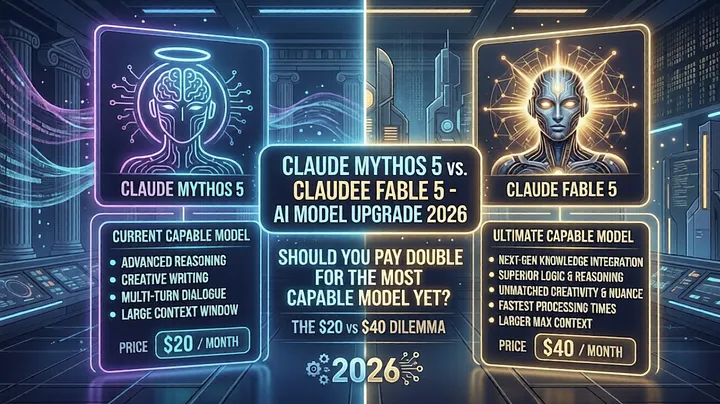
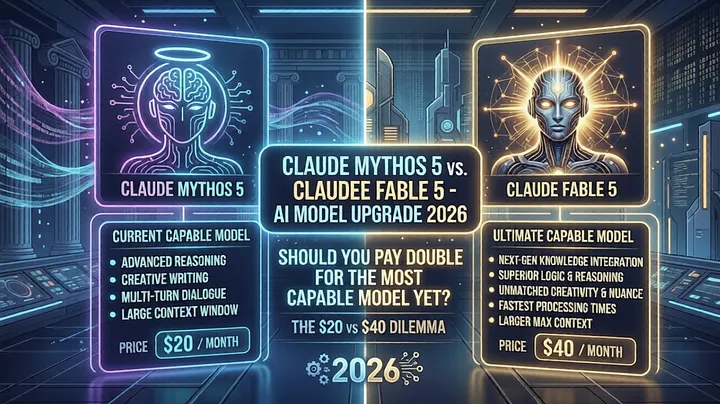 The notification appeared quietly, tucked into the corner of a chat interface that a mid-sized tech team used every single workday. It read something like this: "Our newest model tackles your biggest challenges with fewer check-ins needed." Below it, almost as an afterthought, sat a line that changed the entire calculus: "This model takes 2x the usage of your current plan's standard tier."
That single line — two times the credit burn rate — is the hinge on which most upgrade decisions should turn. Yet most people click right past it, dazzled by "most capable yet" and the promise of fewer interruptions.
This post is for the person who paused on that line and wanted a cleaner way to think it through.
Why June 2026 Is Exactly When This Conversation Matters
We are mid-year 2026, and the AI assistant landscape has fundamentally matured. What was experimental tooling eighteen months ago is now operational infrastructure for millions of professionals. The cost of AI queries — long invisible, bundled into flat subscription plans — has started appearing as a genuine line item in team budgets.
That shift in financial visibility has made model-tier decisions consequential in a way they were not before. When platforms offer a limited window — say, twelve to fourteen days — where a new flagship model is included within your existing plan limits, that window is not a courtesy. It is a structured evaluation opportunity, and you should use it deliberately.
If you are reading this near the start of that window, you have time to run real workloads through both the standard and flagship tier and collect actual data on the quality delta. That data is worth more than any benchmark published by the model creator.
What the "Most Capable Yet" Claim Actually Means
Before evaluating cost, you need to know what you are actually being offered. When an AI platform announces a new flagship model, three meaningful improvements are typically bundled into that claim.
Fewer mid-task check-ins
Earlier model generations had a tendency to pause at perceived ambiguity. Complex, multi-step tasks would generate a stream of clarification requests: "Should I assume X?", "Do you want me to continue with this interpretation?", "I need more detail before proceeding." A newer flagship model is trained to resolve that ambiguity internally, make a documented assumption, and deliver an output — leaving you to course-correct rather than approve every micro-step.
For a developer named Mihir who builds backend services and uses AI assistance for architecture reviews, code refactoring, and documentation drafts, this difference alone saves twenty to thirty minutes per complex task. The compounding effect across a workweek is not trivial.
Stronger context retention across long sessions
The flagship tier handles long conversations and large documents with better coherence. If you feed it a forty-page technical specification and then ask questions three exchanges later that require recalling a specific constraint mentioned on page twelve, the newer model is far less likely to hallucinate or lose thread. For standard models, long-context tasks frequently require repetition and anchoring prompts.
Better reasoning on underspecified inputs
When a query is genuinely ambiguous, a flagship model surfaces a structured interpretation rather than defaulting to the most literal reading. It treats ambiguity as a reasoning problem rather than a signal to ask for help. This results in substantively better first drafts, which dramatically reduces the number of revision rounds needed.
Step 1: Understand the Usage Credit Reality Before Anything Else
Two times the credit consumption is not a rounding error. It is a structural constraint that will define whether the upgrade makes sense for you at all.
Here is a practical framework.
Assume a knowledge worker named Priya uses her AI assistant for approximately twenty-five queries per business day. Her plan includes a monthly credit limit equivalent to five hundred standard-tier queries. At her current rate she stays comfortably within limits, finishing each month with a modest surplus.
Now she upgrades to the flagship model. Her twenty-five daily queries now cost fifty standard-tier-equivalent credits per day. Across twenty working days per month, she burns through one thousand credits — two times her plan limit. She hits the ceiling sometime around the tenth working day of every month.
The math is that simple. Run it for your own numbers before you commit.
What the hybrid approach looks like in practice:
Most platforms allow per-conversation model selection. You do not have to make an all-or-nothing choice. The practical approach is:
- Route high-complexity tasks — architecture design, long document analysis, legal or financial reasoning, multi-file code review — to the flagship model.
- Route everything else — quick reformats, short summaries, single-turn lookups, templated content generation — to the standard model.
- Reassess after three to four weeks with actual usage data.
This hybrid approach typically delivers eighty percent of the flagship model's value at forty to fifty percent of the credit cost.
Step 2: Understand the Auto-Switch Safety Feature
Alongside the capability upgrade, platforms releasing new flagship models often introduce a feature that deserves careful consideration: automatic model switching when a message is flagged by safety systems.
Here is how it works. AI models include content moderation layers that evaluate incoming messages. Occasionally — more often than intuition suggests — these layers flag a perfectly legitimate professional query. An information security researcher describing an attack vector in technical detail. A pharmacologist discussing drug toxicity thresholds. A legal professional summarizing case evidence involving violence. A creative writer describing a morally complex scenario.
Without auto-switch, those flagged messages cause the conversation to pause. The user must rephrase, submit a support ticket, or abandon the task. With auto-switch enabled, the platform silently routes the conversation to an alternative model with a different calibration profile, and the task continues.
Three things this feature is:
-
A routing mechanism to reduce friction in edge-case safety flag scenarios
-
A user experience improvement for high-volume professional workflows
-
A configurable opt-in, not a default
Three things this feature is not:
-
A mechanism to bypass content policy
-
A guarantee that the fallback model will produce the same quality output
-
Transparent in its operation — you often cannot see that the switch occurred unless you check
Who benefits from enabling it:
If your work involves technical security research, medical literature synthesis, legal document processing, or narrative fiction writing with mature themes, enabling auto-switch is a reasonable productivity decision. The flags you trigger are almost certainly false positives, and the interruption cost is real.
If your work is standard business productivity — reports, emails, data summaries, code assistance — you will encounter the flagging scenario rarely enough that the feature adds no meaningful value.
Step 3: Audit Your Current Usage Before Making a Decision
The single most valuable thing you can do before upgrading is run a one-week audit of what you actually use your AI assistant for. Not what you plan to use it for. Not what you used it for during your most impressive use case three months ago. What you actually used it for across a normal week.
A structured audit looks like this.
Open your chat history for the last five to seven business days. Classify each conversation into one of three buckets:
High complexity — tasks that required multi-step reasoning, long context, significant back-and-forth to get to a usable output, or that produced noticeably weak first drafts.
Medium complexity — tasks that required some iteration but resolved within three to five exchanges.
Low complexity — single-turn tasks, simple reformatting, quick lookups, short generation.
If your high-complexity bucket accounts for more than forty percent of your volume, the flagship model is genuinely likely to pay for the additional credit cost in time savings. If it represents less than twenty percent, you are paying the two-times premium for a capability you use sparingly.
Step 4: Use the Trial Window Deliberately
If your platform is offering a window — typically ten to fourteen days — during which the flagship model is accessible within your existing plan limits, this is a structured evaluation period. Use it as one.
On day one through three, route your genuinely hard problems to the new model. Architecture decisions. Complex debugging sessions. Long document reviews. Multi-source research synthesis. These are the tasks where the capability difference will be visible.
On day four through six, run the same class of tasks through the standard model you currently use. Force the direct comparison.
By day seven, you will have a concrete, experience-based answer to the question. No benchmark needed. No marketing copy required.
If the quality difference is striking on the tasks that matter most to you, and the usage math from Step 1 shows you can sustain it, upgrade.
If the quality difference is modest, or if the math does not work, stick with the standard model and note specifically which task types would benefit from selective flagship access.
Step 5: Monitor Usage for the First Two Weeks After Switching
The most common mistake after a flagship model upgrade is not checking the credit dashboard for the first week or two. By the time someone notices they are hitting limits unexpectedly, they are already mid-month with insufficient credits for critical work.
Set a calendar reminder at the seven-day mark to review your credit consumption rate. If you are tracking at twice the expected burn, you either misjudged your usage volume or your query patterns shifted when you had access to a more capable model — both of which are common.
When Upgrading Makes Sense
-
Your work regularly involves complex, multi-step reasoning tasks that currently require heavy clarification loops
-
You process long documents, multi-file codebases, or extended technical specifications as part of your core workflow
-
Output quality materially affects the value of your deliverables and the current standard model's first-draft quality is a bottleneck
-
Your daily query volume is moderate enough that the two-times credit multiplier stays within your plan limits
When Upgrading Does Not Make Sense
-
The majority of your queries are short, single-turn, or simple generation tasks
-
You are already near your monthly credit limit on the standard model
-
The tasks where you want improvement are not the tasks that a more capable model will substantially change
-
Budget constraints make the effective credit halving a real operational problem
Merits and Demerits
Merits
-
Meaningfully better output quality on the class of tasks where reasoning depth matters
-
Reduced clarification overhead leads to faster task completion on complex work
-
Better handling of long context and extended conversations
-
Auto-switch feature reduces friction for professional workflows that encounter false-positive safety flags
-
Trial window allows empirical evaluation before committing
Demerits
-
Two-times credit cost is a real and significant multiplier that cuts effective monthly plan capacity in half
-
Not all workflows benefit enough from the capability improvement to justify the cost
-
Auto-switch routing is not always transparent, which can affect reproducibility in regulated or audit-sensitive workflows
-
Inconsistent model tier across a long session (if you hybrid-route) can produce tonal or stylistic variation in multi-part outputs
-
Flagship tier models may have lower availability during peak demand periods, leading to occasional fallback even when not desired
Caution — Do It at Your Own Risk
Enabling automatic model switching means your conversation may be handled by a model other than the one you selected, with potentially different response characteristics, different instruction-following behavior, and different effective knowledge boundaries. For professionals in regulated industries — healthcare, legal services, financial compliance — this unpredictability may conflict with internal governance requirements around AI output provenance and traceability.
Before enabling auto-switch in any workflow where output is used in a regulated context, check with your organization's compliance or legal function.
The two-times usage calculation also assumes consistent daily query patterns. Seasonal spikes — end-of-quarter reporting, product launch preparation, audit cycles — can exhaust monthly credit allocations significantly faster than baseline projections suggest. Build in a buffer, or maintain a fallback workflow on the standard model for periods of high demand.
Do not migrate a critical ongoing project to the flagship model mid-task without testing it on representative workloads first. Model behavior differences that are invisible in casual use can surface unexpectedly in specialized or domain-specific tasks.
Conclusion
A new flagship AI model in mid-2026 is worth taking seriously. The capability improvements are real. Fewer check-ins, stronger context retention, and better reasoning on ambiguous inputs translate to tangible time savings on the work that actually demands cognitive depth.
But "most capable yet" is not the right reason to upgrade. The right reason is that the specific tasks in your specific workflow will produce meaningfully better outcomes, and the two-times credit cost is sustainable within your plan structure.
Run the audit. Do the usage math. Use the trial window. Make the decision on data rather than on the appeal of having access to the newest thing available.
In 2026, AI assistance is no longer experimental tooling. It is operational infrastructure. Upgrade decisions deserve the same rigor you would apply to any infrastructure change: evaluation criteria, cost modeling, rollback options, and a clear understanding of what you are actually paying for.
Frequently Asked Questions
- Is upgrading to a flagship AI model worth the 2x credit cost in 2026?
- What does "fewer check-ins" mean when a new AI model is released?
- How does automatic model switching work when a message is safety flagged?
- Should I enable auto model switching for professional or enterprise AI workflows?
- How do I calculate whether a premium AI model tier fits within my subscription plan limits?
- What is the practical difference between a standard and flagship AI model tier?
- Can I use both a standard and a premium AI model within the same subscription plan?
- What happens to my conversation when an AI platform's safety system flags my message?
- How do new frontier AI models handle long-context tasks differently in 2026?
- What are the compliance or audit risks of enabling automatic model routing in a regulated industry?
- How do I decide which tasks to route to a flagship model versus a standard model?
- What is a hybrid AI model usage strategy and how do I implement it?
#AIModels #LargeLanguageModels #AIUpgrade2026 #MachineLearning #GenerativeAI #FrontierAI #AIAssistant #LLMComparison #AIProductivity #TechBlog2026 #AISubscription #AIWorkflow #ModelSelection #AIUsageCosts #SmartAIFeatures #AIForProfessionals #AIDecisionMaking #TechTrends2026 #ArtificialIntelligence #FutureOfWork
Incident Response: First Hour
A calm, evidence-preserving checklist for establishing control, bounding impact, communicating clearly, and containing an incident safely.
Free. No spam — unsubscribe in one click.
Responses
Sign in to leave a response.